Quilo Chrome Extension live
Quilo is my attempt to build a product from launch it from scratch
In the age of AI, i wanted to attempt to build my dream of designing, developing and launching my own product.
With Ai enabling everyone to make things real, I wanted to use this opportunity.
Outcome and Impact
Quilo gained 500+ active users in google webstore from scratch.
My Role & Resposibility
Research, design, development.
Project Context
Quilo is a prompt library and manager for ai chat applications. It is a chrome extension for work related use cases.
My Design process
1) The problem to solve/product idea or frustrations faced by users.
2) Research to understand the problem, the users facing it, validate it, do competitive research, understand the products out there solving similar problems for users, find where i can do something different.
3) Define where to work on and where to proceed. find key insight that can be used to move forward.
4) Use the insights to generate ideas and refine the ideas in figma.
5) Prototype and build the product ideas in code.
6) Test and refine.
7) Launch the product.
8) Iterate, refine and update.
Problem
Large language models include text, image and video generation models. These models are highly capable and can do usefull work for users. They work by taking an input and giving an output.
Giving highly detailed and structured inputs can return highly detailed outputs and reduce hallucinations.
This is where most users struggle as it requires detailed prompts that one cannot remember always.
Every usecase can have its custom prompts that can be very detailed. It becomes hard for users to access these prompts on the go quickly while they are using the AI models.
Persona / user goal
The user is a working professional who wants to get quality output from the LLM which he will then use for his work or other usecase. So this output could be for image generation or writing an email etc.
For general search and questions, it is not necessary to prompt in a detailed structed manner.
Research
From my research and competitive analysis i found that having detailed custom JSON prompt templates that follow the modern prompting techniques to talk to an llm can give the best results. JSON prompting is a form of prompting where json syntax is used to give and generate structured prompt that provide a detailed output.
Idea and Solution
Finding usecase that people use chatgpt and llm for and then creating custom detailed json prompts for these usecases.
Then provide these detailed json prompts in google chrome extension for easy access on any web app and llm chat app for the user.
Design & development
Designing the ui and user flows in figma and using those files for development in vs code ide.
The development was done using claude code.
Solution
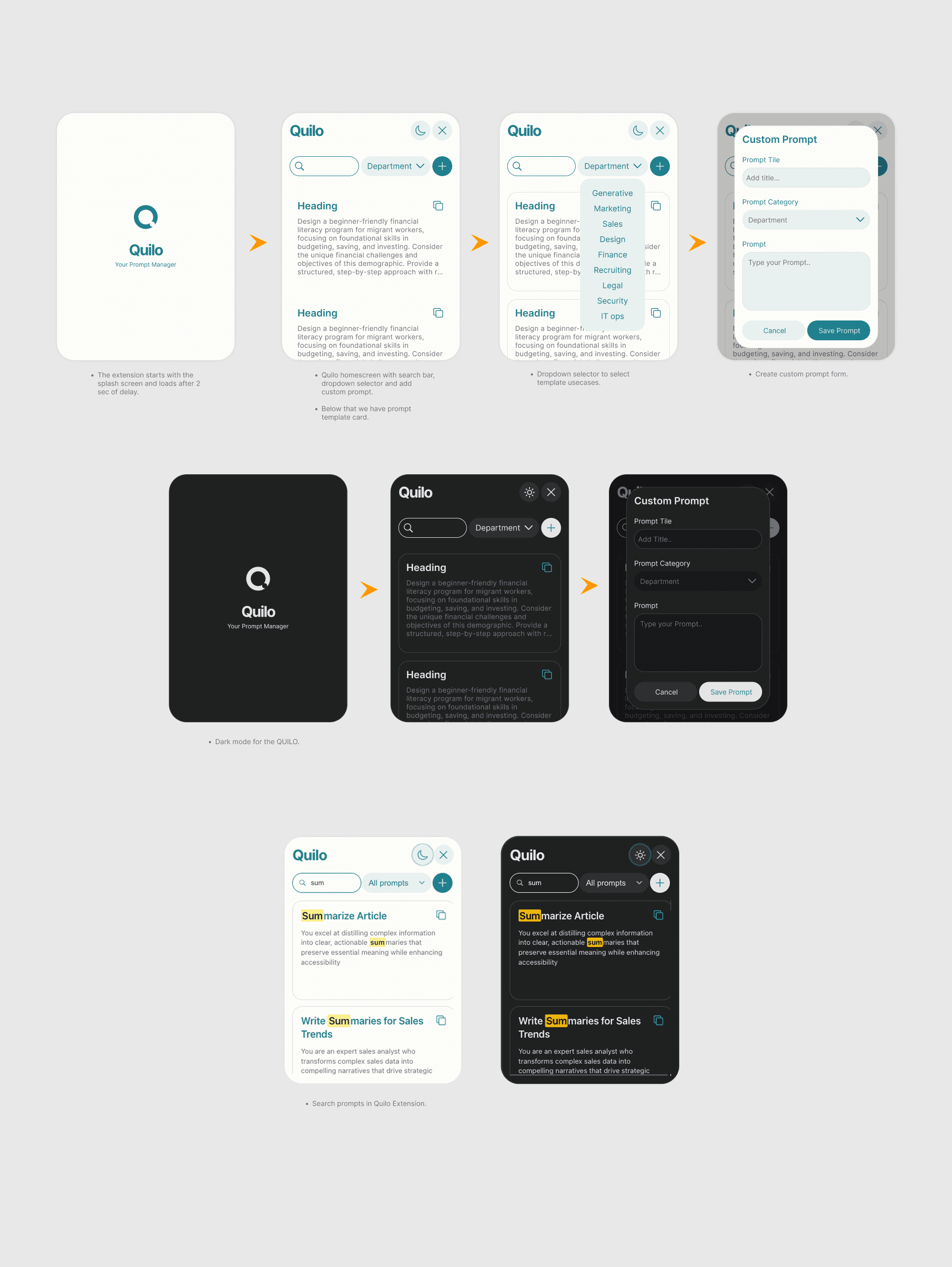
Shipped version 1, ui and userflow.
Launch and analytics
I launched it in google webstore and when through the whole process for publishing it in the webstore.
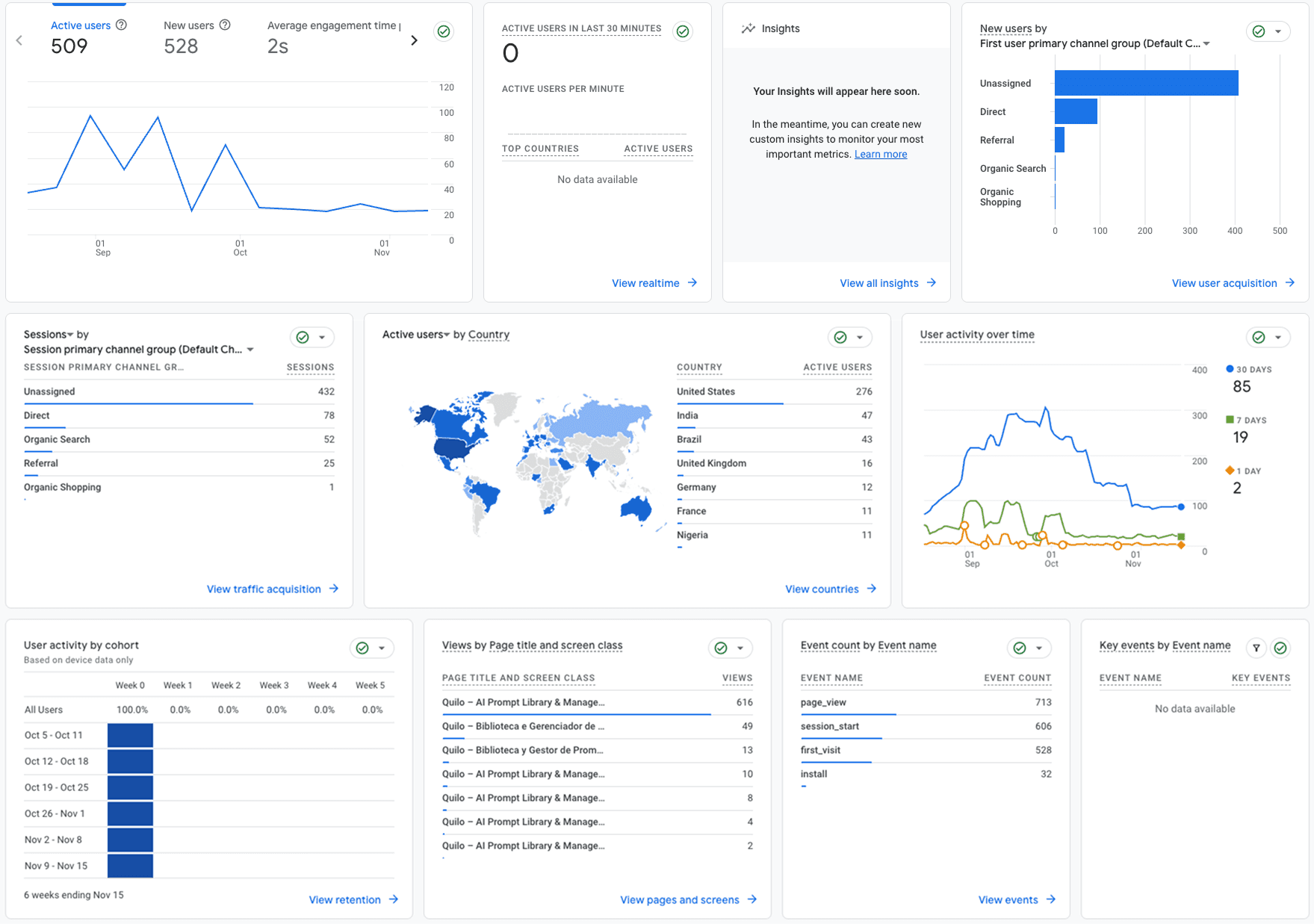
The analytics overview for the product
Solution - V2
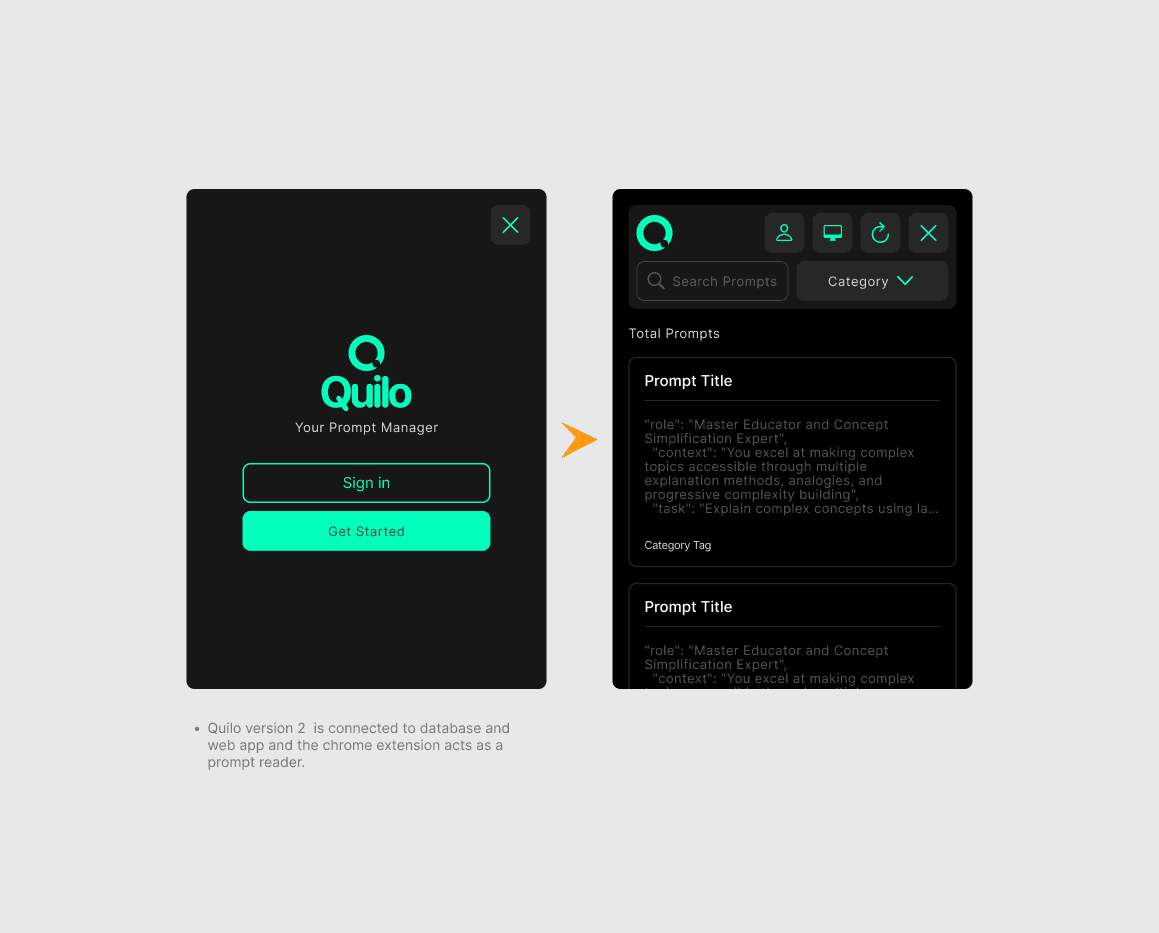
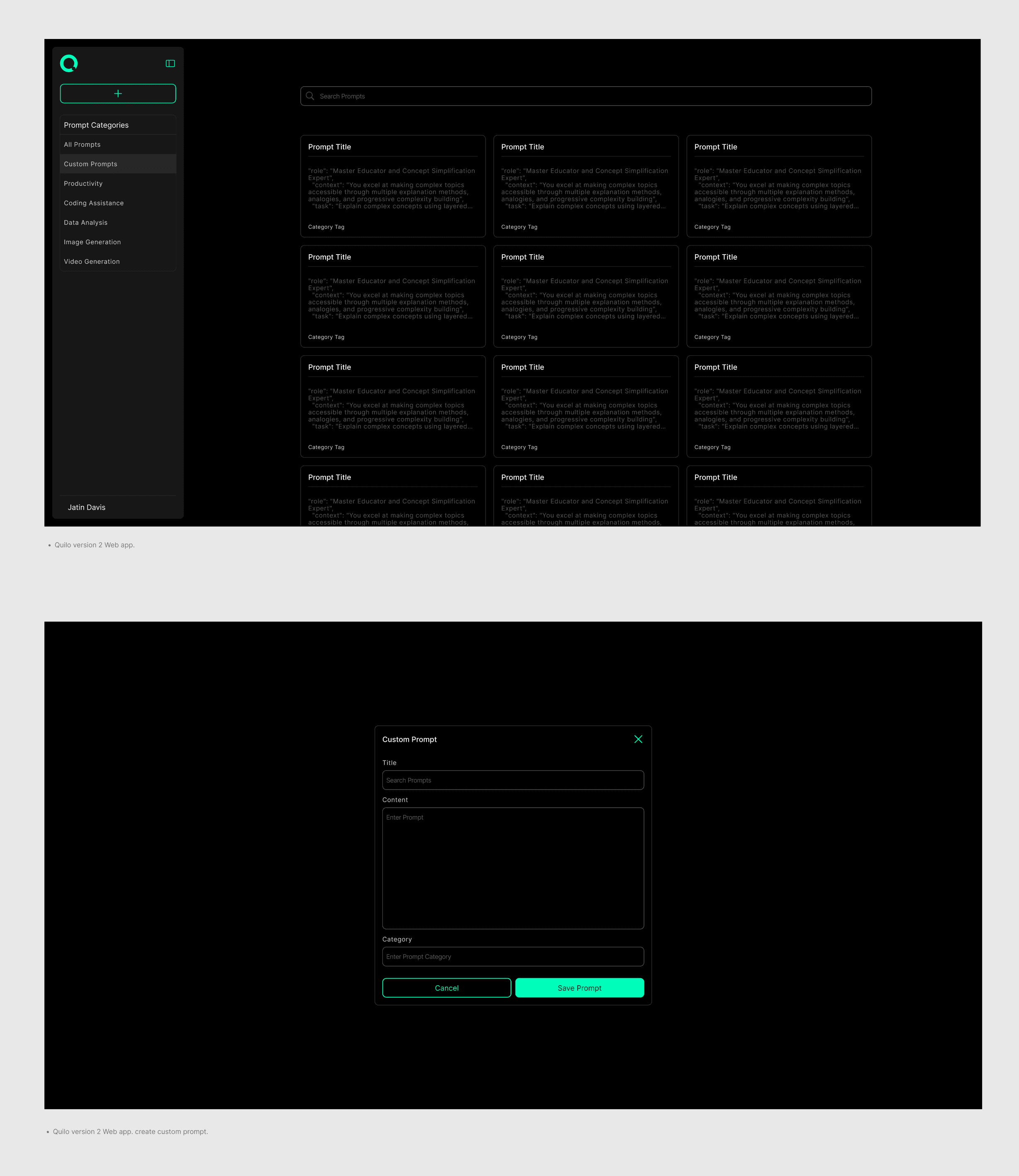
Version 2 (Wip) - Quilo version 2 focused on adding an external web app and database to manage all prompts and use the chrome extension as viewer . This allowed better prompt creation and editing compared to the previous version and ability to access prompts from any computer anywhere.
Quilo version 2 web app demo video
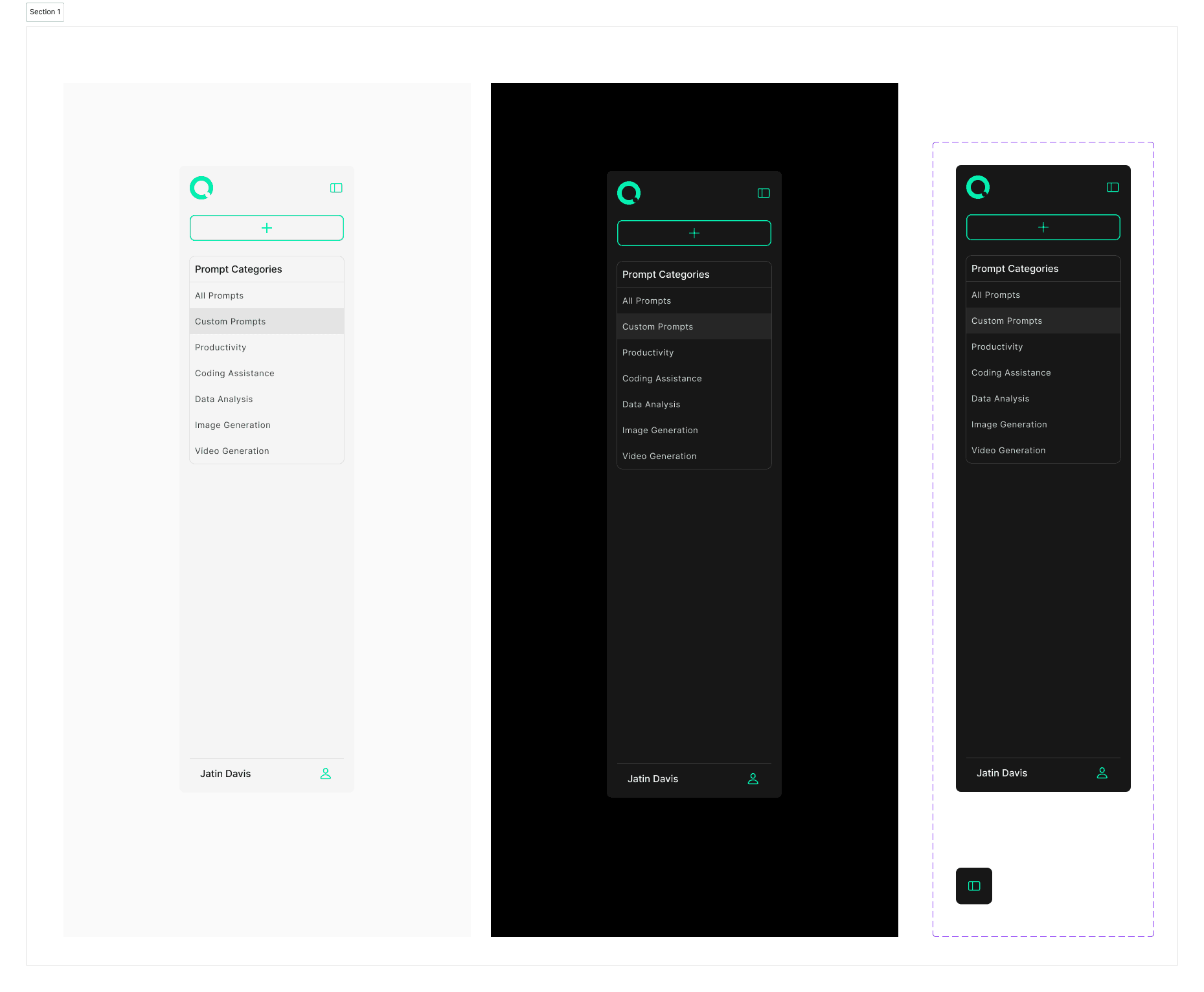
Sidebar design using figma variables
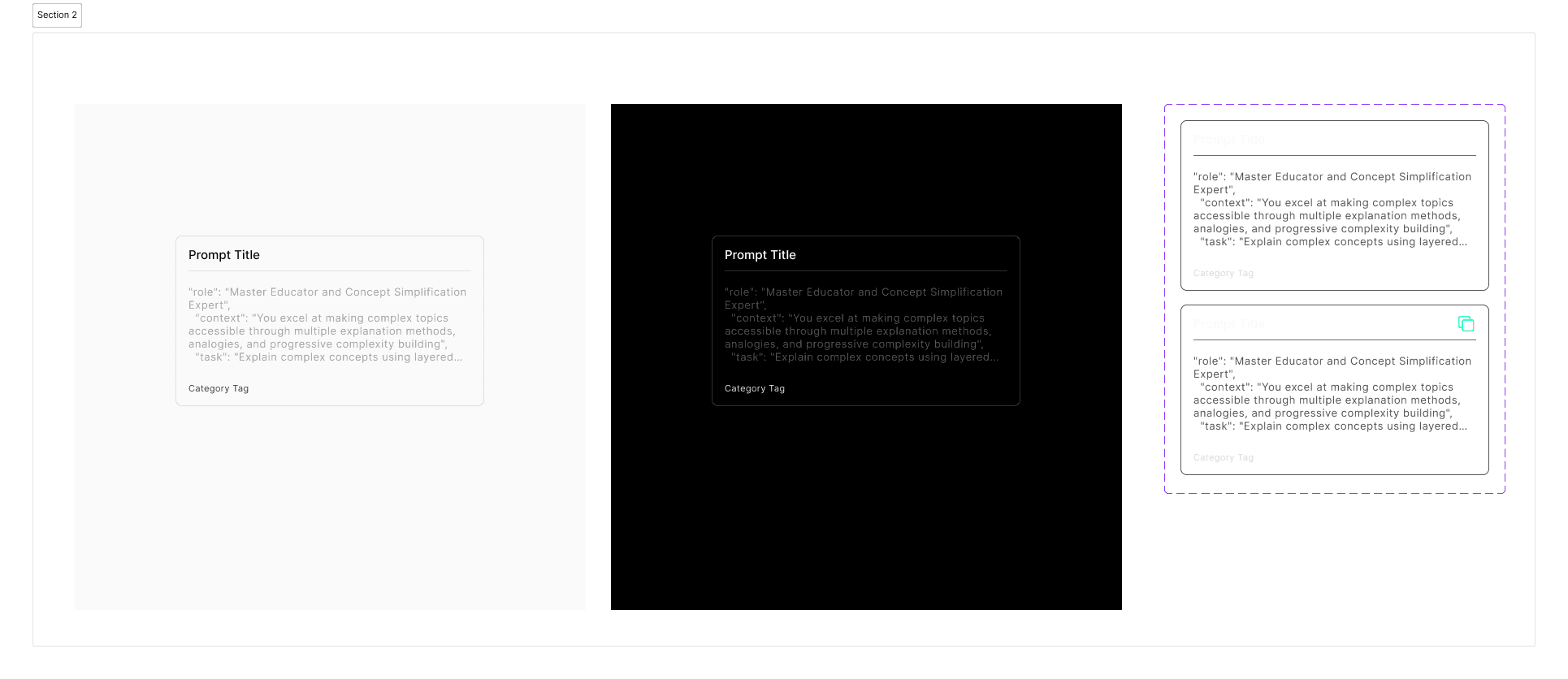
Prompt card design using figma variables.
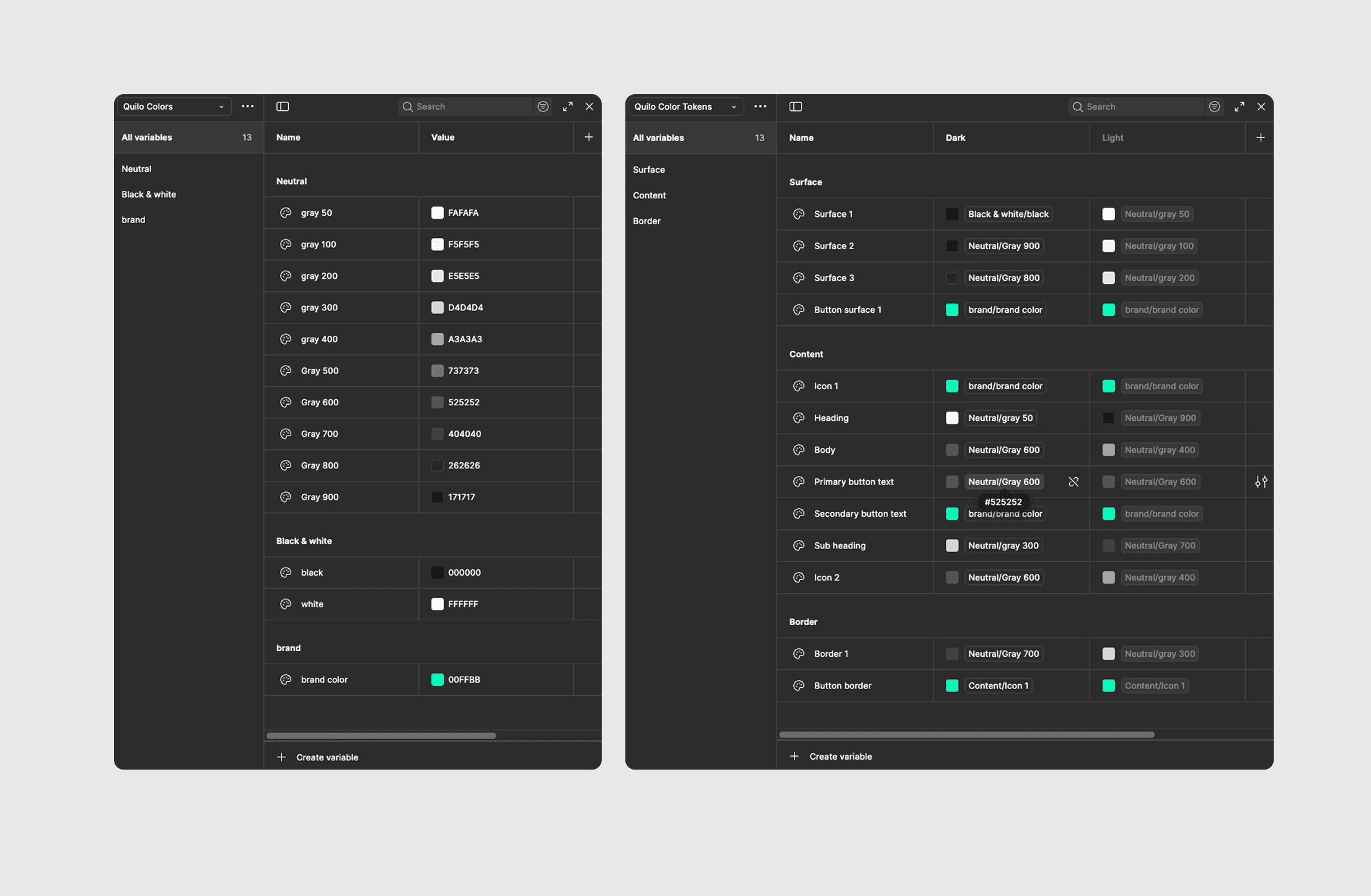
Figma color variables
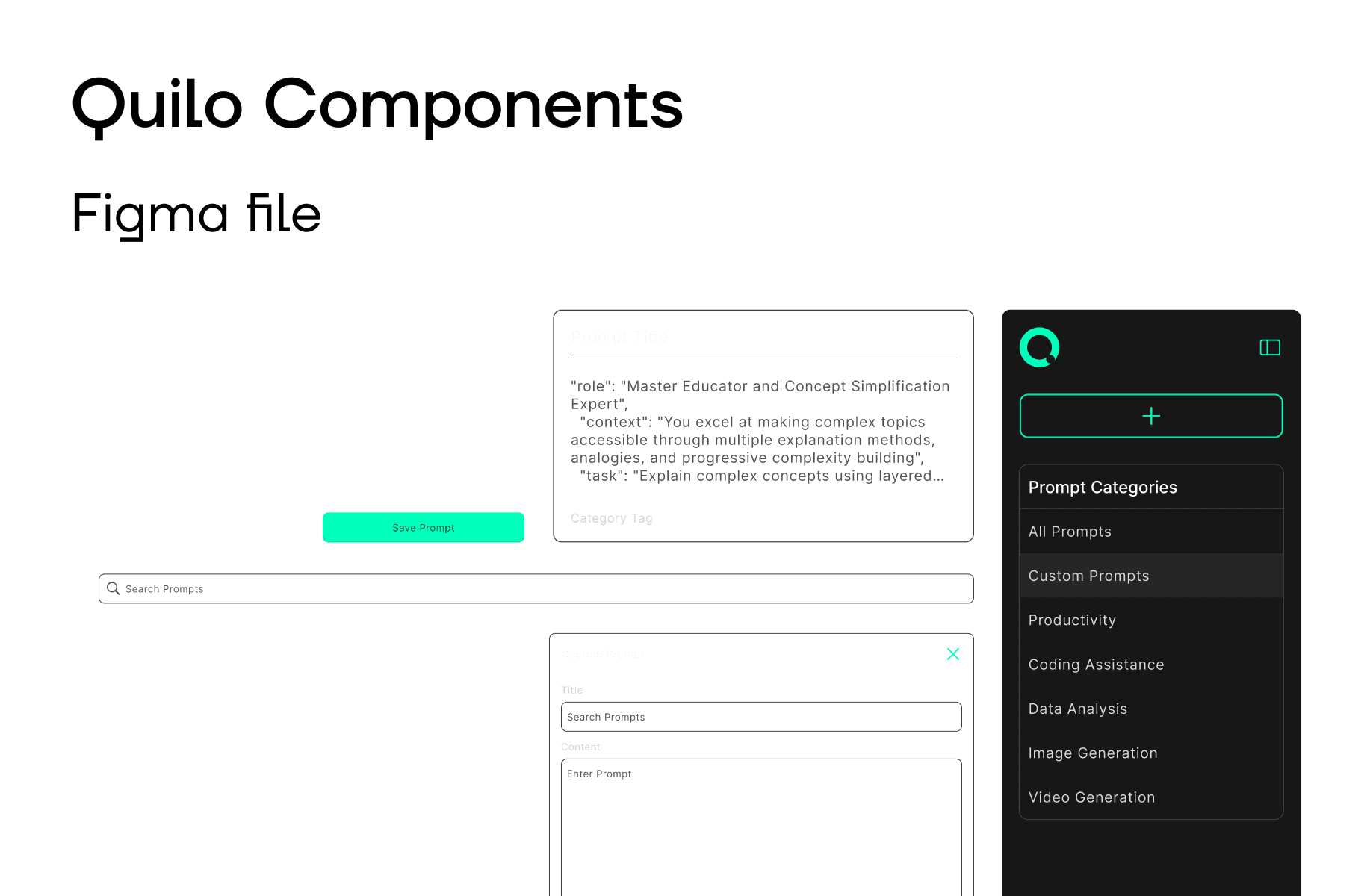
Quilo Design System
Let's Connect